To backtest a trading strategy, you write its rules down precisely, replay historical price data bar by bar without seeing what comes next, log every trade the rules produce including costs, and judge the results against how many trades you actually have. For a manual or discretionary trader, that means chart replay and a spreadsheet, not code.
Most backtests fail for reasons unrelated to the strategy: vague rules filled in by hindsight, missing costs, thirty trades treated as proof, a session cut after six bad trades. Each produces a result better than anything you will see live.
This guide is for forex and index CFD traders on EUR/USD, XAU/USD, NAS100 and similar markets, including prop firm accounts. It covers the method in order, with every number worked through.
What can a backtest tell you, and what can't it?
A backtest answers one question: had these exact rules been followed on this data, with these costs, what would the trades have looked like? It shows whether a setup produced positive expectancy in R, how deep drawdowns and losing streaks ran, and whether the result depends on one session or month.
It cannot tell you that the edge will continue; a strategy fitted to one period can fail in the next. It cannot tell you whether you will execute the rules under pressure; forward testing and a live journal measure that. And a manual backtest reduces your own bias without removing it. Treat the output as evidence with an error bar, not a forecast.
How do you write rules a stranger could execute?
The test for a rule is whether someone else, given only your document and the chart, would take the same trades. If two people would disagree on a third of the setups, you are testing your mood, not a strategy.
Use a fixed template:
Strategy:       London breakout pullback      Version: 1.0
Market / TF:    EUR/USD, M15 entries, H1 context
Session window: 07:00-11:00 UTC only
Context filter: H1 close above the 50 EMA for longs (below for shorts)
Trigger:        M15 close beyond the Asian range high or low
Entry:          Limit at the broken level, valid 4 bars
Stop:           2 pips beyond the trigger candle's far side
Exit:           2R fixed; close at 16:00 UTC if neither is hit
Management:     None in v1.0
Size:           0.5% of balance per trade
No-trade:       High-impact news within 30 min; max 2 trades per day
Every field must be checkable on a closed bar: "strong momentum" is not a rule, "M15 body larger than the previous three" is.
Version your rules. Change anything, even the stop buffer, and it becomes version 1.1; trades taken under 1.0 do not count toward 1.1's sample. Mixing versions is how a backtest quietly turns into curve fitting.
How do you set up chart replay so you can't cheat?
Manual backtesting has two different biases, and they need different fixes.
Hindsight bias is in your head. You have seen the chart or remember the period, so the setup that worked looks obvious and the one that failed looks like it did not qualify. Knowing that March 2020 was violent is enough.
Look-ahead bias is in the data or tools: information that did not exist at decision time. Examples are an H4 or daily candle that has not closed yet, a fractal or zigzag indicator that confirms a swing bars later, or a script that pulls higher-timeframe data incorrectly. In TradingView's Pine Script, request.security with lookahead_on and no [1] offset returns future values on historical bars.
The fixes:
- Random start. Draw start dates at random, for example with
=RANDBETWEEN()over a date range, instead of choosing periods you remember. - Hide the dates. Ignore the date scale while testing, and skip periods you traded live.
- Decide only at bar close. Advance one bar, then decide.
- Log skipped setups. Every time the rules trigger and you pass, log it with the reason. If skipped setups would have been mostly winners or mostly losers, your discretion is part of the strategy and needs testing too.
- Settle same-bar ambiguity in advance. If one bar touches both stop and target, you cannot know which came first. Assume the stop, or check the lower timeframe, and write down which.
Know your tool's limits. TradingView's help center documents how far back Bar Replay reaches on the 1-minute chart: about 6 months on Essential, 1 year on Plus, full history on Premium and above. Seconds-based replay starts in August 2022, tick replay is limited to the top plan and 7 days, and Renko, Kagi and similar chart types are not supported. TradingView also states that orders placed during replay fill at real-time prices, so paper trading inside replay is not a valid backtest record. Keep your own log. The Bar Replay help pages have current details.
Fips has bar-by-bar chart replay in its web app with the future hidden: step one bar forward or back, play at 0.25× to 10×, jump to a date and time, or right-click to start anywhere. Market, limit and stop orders draw position boxes on the chart, sizing works by lot or risk %, and if SL and TP are both touched in one bar, Fips assumes the stop. It does not randomise the start, so draw the date yourself. The app is in private beta, with access by waitlist.
What should a backtest trade log record?
A log of results alone is a scoreboard, not a test. These fields let you audit and slice later:
| Field | Why it matters |
|---|---|
| Setup ID | Find the screenshot and recheck the trade |
| Rule version | Keeps versions separate |
| Time (UTC) and session | Session analysis without time-zone errors |
| Stop in pips and R | The base of every R figure |
| Cost in R | Spread, commission, swap |
| MAE / MFE in R | How close winners came to stopping out |
| Rule followed | Backtests have rule breaks too |
| News nearby | Tests whether your news filter earns its keep |
| Screenshot | Audit any trade later |
| Skipped setup and reason | Measures your discretion |
Tag news from a real schedule; the economic calendar shows which high-impact releases fell inside your window. For what to record once the strategy is live, see what to write in a trading journal.
How do you include spread, commission and swap in R?
Costs are the line most backtests leave out, and on short stops they decide everything. Write each trade's cost in R, in its own column.
Worked example. Assumptions: EUR/USD, 1.00 lot, $10 per pip per lot, a 10-pip stop, a 1.2-pip average spread and $7 per lot round-turn commission.
1R             = 10 pips x $10    = $100
Spread         = 1.2 pips x $10   = $12
Commission     = $7 round turn
Total cost     = $12 + $7         = $19
Cost per trade = $19 / $100       = 0.19R
Lot size cancels out: at 0.10 lot every figure is ten times smaller and the cost is still 0.19R. The stop does not cancel. The same costs are 0.38R on a 5-pip stop, 0.095R on a 20-pip stop and 0.063R on a 30-pip stop. The pip value calculator gives the per-pip figure for other symbols and account currencies.
Now apply it. A strategy that wins 40% of trades at +2R and loses −1R otherwise has a gross expectancy of +0.20R. On a 10-pip stop with these costs, net expectancy is +0.01R: effectively nothing. With the same R profile on a 30-pip stop, about +0.14R survives.
Three more costs belong in the log:
- Slippage. Stops in fast markets, especially news, fill worse than the stop price. Add an estimate to stop-outs near releases.
- Swap. Positions held past the daily rollover pay or receive swap. On most FX symbols one night, commonly Wednesday, is charged at three days to cover the weekend; index and metal CFDs can differ. Use your broker's symbol specification.
- Spread widening. Spreads at the rollover and around news can be several times the average. If your entries cluster there, use the wider figure.
How many trades do you need to backtest?
There is no magic number. Many guides say 30, 50 or 100 trades; the honest answer depends on how large the edge is relative to the spread of your results. The tables show 95% confidence intervals: Wilson intervals for win rate, the normal approximation for expectancy.
If 55% of your backtested trades won:
| Trades | Plausible true win rate (95%) |
|---|---|
| 30 | 37.7% to 71.2% |
| 100 | 45.2% to 64.4% |
| 200 | 48.1% to 61.7% |
| 400 | 50.1% to 59.8% |
After 30 trades, 55% is consistent with anything from a clear loser to an excellent strategy.
Win rate is not the edge, so do the same for expectancy. For the strategy above (40% winners at +2R, losers at −1R), expectancy is +0.20R and one trade's standard deviation is about 1.47R. The 95% interval is expectancy ± 1.96 × 1.47 ÷ √n:
| Trades | 95% interval for expectancy |
|---|---|
| 30 | −0.33R to +0.73R |
| 100 | −0.09R to +0.49R |
| 207 | 0.00R to +0.40R |
| 500 | +0.07R to +0.33R |
It takes about 207 trades before the lower end clears zero, and that is before costs. If trades are not independent, for example because setups cluster in trending weeks, the real intervals are wider. Smaller edges need far more trades: at +0.01R net, tens of thousands.
How many trades per session before you cut it?
Slicing by session, pair, weekday or setup is useful, but each slice is a small sample. Some guides drop the Asian session after six losing trades; that is overfitting in its purest form.
For the strategy above, the 95% band on a 12-trade slice is about ±0.83R. A session at −0.30R on 12 trades is statistically indistinguishable from one at +0.50R. On 50 trades the band is still about ±0.41R.
Set the rule before you look: a minimum count per slice, such as 50 trades, below which nothing is cut. When a slice does look bad, removing it is a new rule version, and the improvement has to hold on data you have not seen.
How do you read backtest results?
Compute the same metrics as on a live account, in R and after costs: net expectancy, profit factor, payoff ratio, max drawdown in R, longest losing run and recovery factor. The trading performance metrics guide works through each formula on forex and gold trades, so they are not repeated here.
Three habits matter more than any single metric:
- Read expectancy with its interval. "+0.18R on 60 trades" means "somewhere between clearly negative and very good".
- Check concentration. Remove the two best trades and recompute. A result that disappears without them is fragile.
- Compare skipped setups with taken ones. If skipped setups did better, your filter is costing you money.
How long a losing streak should you expect?
Longer than intuition suggests, even for a profitable strategy. Simulating independent trades gives these figures:
| Strategy and sample | Typical longest losing run | 8+ losses in a row | 10+ in a row |
|---|---|---|---|
| 40% winners, 100 trades | about 8 | about 49% | about 20% |
| 40% winners, 200 trades | about 9 | about 75% | about 38% |
| 40% winners, 500 trades | about 11 | about 97% | about 70% |
| 55% winners, 100 trades | about 5 | about 8% | about 2% |
If 200 backtested trades of a 40%-winner strategy show a worst streak of five, you got lucky. Do not size as if five is the worst case.
A losing streak and a drawdown are different numbers. The streak counts consecutive losses; the drawdown is the peak-to-trough fall in cumulative R, which can include small winners and is usually larger.
How do you run a Monte Carlo reshuffle in a spreadsheet?
Your backtest is one ordering of its trades. A reshuffle measures how much the drawdown depends on that order:
- Put each trade's net R in column A and
=RAND()in column B. - Sort both columns by B. In C, compute cumulative R; in D, the running peak (
=MAX(D1,C2)); in E, the drawdown (=D2-C2). - Record the maximum of E and the longest run of losses in A.
- Repeat 1,000 times or more with a what-if data table or a short script.
- Report the 95th percentile: the drawdown only 1 in 20 orderings exceeded.
On a hypothetical log of 200 trades, 80 winners at +2R and 120 losers at −1R, reshuffled 100,000 times, the median max drawdown was 12R and the 95th percentile 20R. The longest losing run had a median of 9 and a 95th percentile of 13. Plan around the 20R, not the 12R.
A reshuffle assumes independent trades and cannot invent a regime your data never contained.
How do you avoid overfitting with out-of-sample and walk-forward testing?
Every rule you tweak after seeing results uses up part of your data. Bailey, Borwein, López de Prado and Zhu showed in 2014 that with five years of daily data, trying about 45 independent variations is enough to expect at least one to look strong in-sample even when none has a real edge. A dozen stop buffers times three session windows is already 36.
Separate discovery from validation:
- Discovery. Explore, adjust and settle on version 1.x.
- Freeze. Write the rules down and stop changing them.
- Validation. Test once on later data you have not looked at. If the result falls apart, the earlier one was mostly fit.
- Walk-forward. Discover on one window, validate on the next, move both forward, and judge only the stitched validation results.
Report how many variations you tried.
Does your backtest survive a prop firm's rules?
Positive expectancy can still fail a challenge, because prop rules punish the path. Convert streaks and drawdowns into the account's limits, measured on equity including costs.
Example: FTMO Challenge 2-Step (Standard), $100,000. Equity may not fall below the 00:00 CE(S)T balance minus 5% of initial capital ($5,000), or below initial capital minus 10% ($10,000, static). FTMO Challenge 1-Step has a 3% daily loss limit from the 00:00 CE(S)T balance. These figures were checked against FTMO's official rules on 26 September 2026; confirm them on the firm's page, and compare other firms on the prop firm rules page.
| Risk per trade | Daily room (2-Step) | Max loss room | Three losses in one day |
|---|---|---|---|
| 1% ($1,000) | 5R | 10R | 3% plus costs: breaches the 1-Step daily limit |
| 0.5% ($500) | 10R | 20R | 1.5% plus costs: inside both |
Simulating the 40%-winner strategy at zero cost over 200 trades, cumulative losses reached 10R from the start in about 14% of runs and 20R in about 2%. At 1% risk, that is a static max-loss breach in roughly one challenge in seven, from a profitable strategy. Costs push both figures up sharply. On FTMO Challenge 1-Step, three trades a day at 1% all lose on about 22% of days, so a daily breach within a few weeks is very likely.
Size from the 95th-percentile drawdown, not the average. The lot size calculator turns risk % and stop into lots, and prop firm daily drawdown explained shows how each firm sets the daily floor.
How do you use the MT5 Strategy Tester?
The MT5 Strategy Tester runs coded strategies (Expert Advisors), so it suits rule-based systems, and its testing mode changes results more than most people expect. MetaQuotes' own comparison of the modes ran one EA on EUR/USD H1 over the first half of 2016:
| Mode | Net profit | Trades |
|---|---|---|
| 1 minute OHLC | +169.46 | 96 |
| Every tick | −466.81 | 158 |
| Every tick based on real ticks | −97.24 | 156 |
The MetaTrader 5 help on tick generation explains why: generated modes build ticks from bars with a fixed spread per M1 bar, while the real-ticks mode uses recorded ticks with variable spread.
- Use "Every tick based on real ticks" for tight stops, and read the Journal tab to confirm real ticks loaded. A community article on MQL5 notes that "History Quality 100%" alone does not prove it.
- Use the Forward option. It holds back 1/2, 1/3, 1/4 or a custom share of the period as out-of-sample data, always the most recent part.
- Turn on random delay. MetaTrader 5's help describes 0 to 8 seconds with 90% probability and 9 to 18 seconds with 10% probability, a rough stand-in for real execution.
How do you move from backtest to forward test to live?
A backtest that passes is a reason to keep testing, not to scale up.
- Forward test. Trade the frozen rules on demo, in real time, for a fixed number of trades. This tests what replay cannot: whether you spot and take the setups live.
- Small live. Trade the same rules with real money at reduced risk, such as a quarter of your planned size.
- Compare against the interval. Ask whether live expectancy sits inside the backtest's interval and whether execution costs match your assumptions.
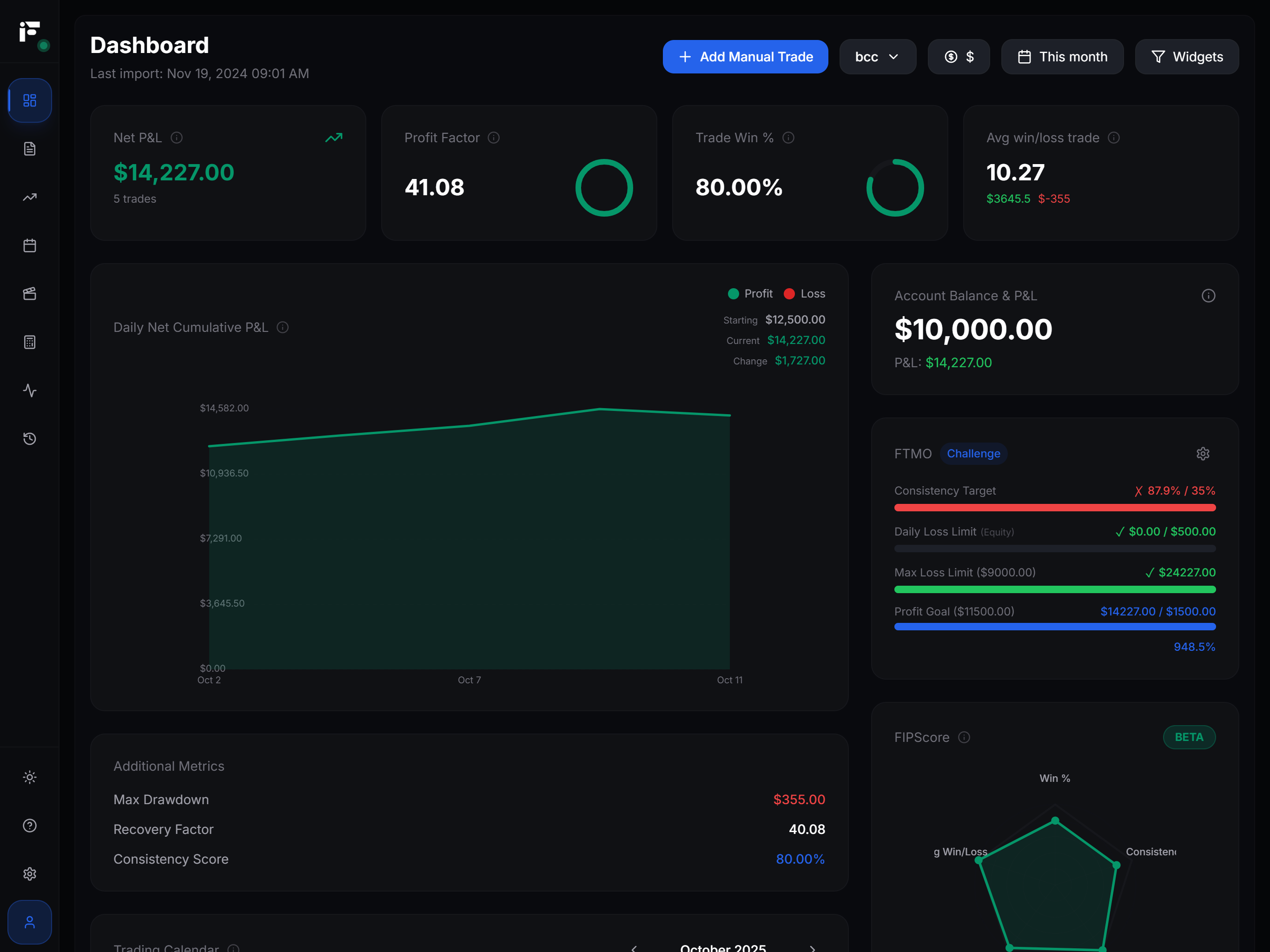
Keep backtest, forward and live trades separate or clearly tagged in your trading journal so the gap stays visible. Fips replay sessions report net result, win rate, profit factor, max drawdown, expectancy, average R and an equity curve. They do not model costs, so subtract your cost column before comparing.
Backtesting checklist
| Step | Done when |
|---|---|
| Rules | Templated, versioned, checkable on closed bars |
| Replay | Random start, dates hidden, decisions at bar close |
| Log | All fields filled, skipped setups recorded |
| Costs | Spread, commission, slippage and swap in R |
| Sample | Expectancy reported with its interval |
| Reshuffle | 95th-percentile drawdown and streak known |
| Validation | Frozen rules tested once on later unseen data |
| Prop check | 95th-percentile drawdown fits the daily and max loss room |
| Forward | Demo, then small live, compared with the interval |
Frequently asked questions
How many trades should I backtest?
Enough that the expectancy interval, after costs, excludes zero. For a +0.20R strategy like the example, that is about 200 trades; smaller edges need many more. Thirty trades describe a sample but do not confirm an edge.
Is manual backtesting accurate?
It is useful if you control the biases and include costs in R. It is never as clean as a coded test, because you still know roughly what markets did; forward testing covers part of that gap.
Can you backtest on TradingView?
Yes, with Bar Replay, within the history your plan allows. TradingView states that replay orders fill at real-time prices, so keep replay trades in your own log.
What is a good backtest result?
There is no universal threshold. A useful result shows positive expectancy after costs with an interval above zero, a 95th-percentile drawdown your account rules can absorb, and similar behaviour out of sample.
What is the difference between backtesting and forward testing?
Backtesting applies rules to historical data. Forward testing applies the frozen rules in real time on demo or small live size, and asks whether you can execute them and whether the edge holds on unseen data.